

We've all been there. With a brand new iPhone in hand, the excitement of customizing it can quickly turn into a tedious journey through menus and settings. I remember my first iPhone 3GS, those days when simply changing a ringtone felt like a major undertaking. Today, customizing it is much easier, but the possibilities can be overwhelming. Let me share my experience and some tips to make personalizing your iPhone a breeze.
The Feng Shui of Your Home Screen

Every time I unlock my iPhone, I want to feel like I'm opening a portal to my own world. The key? Organizing my Home Screen. Most people underestimate the power of an inspiring wallpaper. I love changing my background to match my mood or the season. To select the right wallpaper, simply press and hold an empty area of the Home Screen, tap "Wallpaper," and choose from what iOS offers or your personal photos. Upgrading my iPhone 13 Pro Max to iOS 17 allowed me to use dynamic wallpapers that change throughout the day—a feature I highly recommend if you're looking for visual consistency.
I also organize my apps into folders by category and use widgets for frequently used features like calendar and weather. This not only makes them easier to access but also adds a nice aesthetic touch.
If you're considering upgrading your iPhone, I recommend checking out the Refurbished iPhone 15 , a fantastic option to enjoy the latest features.
Siri, Your Personal Assistant
Siri has come a long way since its early days of awkward responses on my old iPhone 4S. It not only helps me send messages and set reminders, but it's also a crucial part of my daily routine. It's important to fine-tune Siri to your personal specifications: go to Settings > Siri & Search and adjust your preferences. There's nothing more satisfying than saying "Hey Siri" and getting a near-instant response that does exactly what you need!
Notifications, Your Best Allies
Notifications on my device can be both a blessing and a curse. Finding that balance is essential to avoid feeling overwhelmed. Over the years, I've learned to silence those that don't require my immediate attention. In my experience, I only allow visual notifications for communication apps, ignoring distractions from games or social media.
Improving Performance and Battery Life
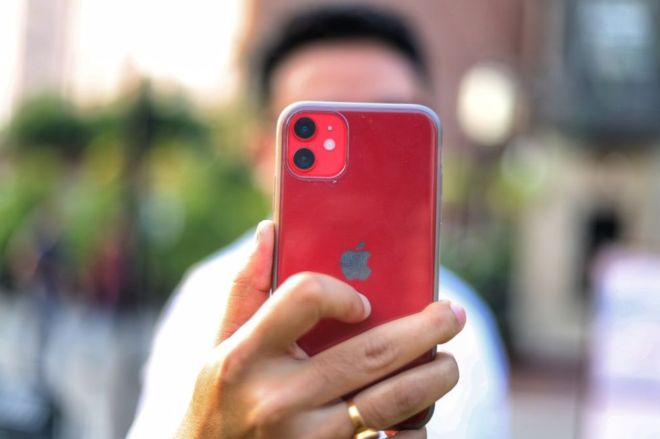
Performance and battery life are two key pillars of iPhone satisfaction. I learned this the hard way when I repeatedly pushed my old iPhone 6 to its limits. Here's my advice: while it's tempting to constantly close apps, iOS is very efficient at managing resources on its own. Additionally, enabling Low Power Mode can extend your battery life without compromising crucial features. Also, remember to update to the latest version of iOS whenever possible; optimizations often offer significant improvements.
If you're looking for a newer device with more robust hardware, check out the iPhone 16e . It's a gem for tech enthusiasts.
Augmented Reality and Games
Apple has integrated augmented reality into its devices in an impressive way. Playing games on my iPhone 13 Mini is amazing. Augmented reality transforms any space into my personal gaming zone, something unthinkable a few years ago. Playing with this technology allows me to disconnect and offers a user experience that truly leverages the capabilities of iOS.
Customizing Audio Settings
Personalization extends to the audio experience as well. If, like me, you're a music lover, you'll appreciate every note with iOS's equalization technology. Adjust the equalizer to suit your preferred music genre by going to Settings > Music > EQ. Feeling every bass note is especially enjoyable when listening to my favorite playlists.
For those seeking top-quality audio and optimal performance, I recommend checking out the iPhone options at GSMPro . With multiple models available, you're sure to find one that suits your needs.
Conclusion: Your Personal Footprint in a Digital World
My personal experience with the iPhone has been one of constant evolution. From the early days of manual adjustments to the refinement of modern and efficient interfaces, the balance between technology and personalization is more achievable than ever. I hope these tips help you make your iPhone not just a device, but an extension of yourself.
What's your favorite way to personalize your iPhone? I look forward to your comments and suggestions in the section below. Let's share experiences and learn together!
For more details on refurbished and used devices, don't forget to visitGSMPro .